Gradium landing page
I created an animation that responds to speech in an AI voice chat for Gradium, a Kyutai spinoff.
The laptop mic and video compression don't do it justice, check out the site itself at gradium.ai.
You can play with it at gradium.ai. The AI voice chat system itself is just a tweaked version of Unmute.sh, which I wrote about earlier this year. (Well, I wrote both of these blog posts in December, but you get the point.) The main new thing here is the "belt" animation that responds to the speech in real time.
Gradium worked with Unité Services who put together a beautiful design centered about this pointilistic shape that is supposed to move around, responding to the speech. My job was to figure out how to make that happen.
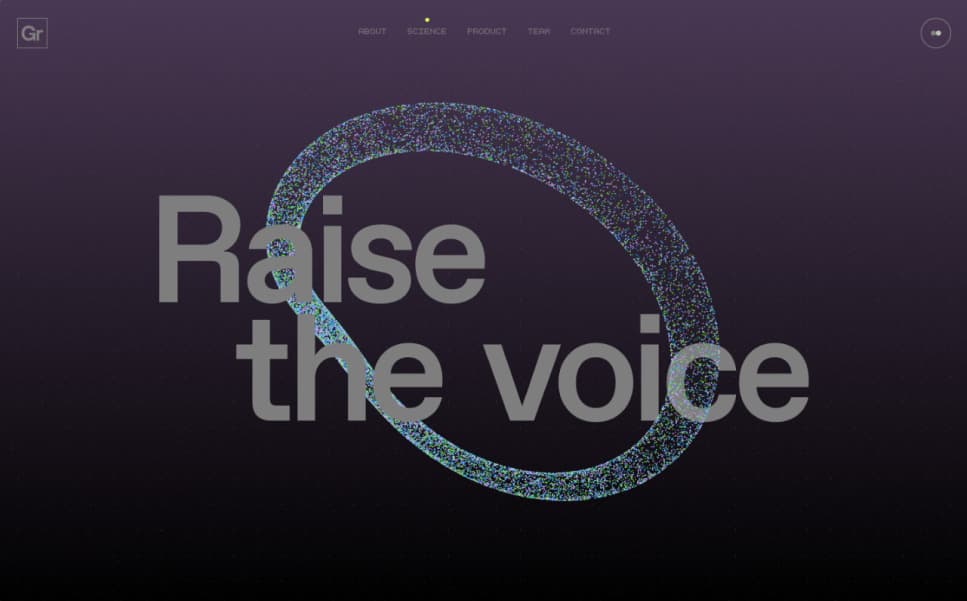
Design and mockup by Unité Services. NextJS seems to be butchering it with JPG...
Moving around
I needed to find a class of curves that is uniform enough to be animated easily: for example, the original mockups included versions of the curve that split into separate rings, but this would be difficult to animate smoothly. How would the transition between a single loop and five rings work? Based on what would the state change? Etc.

A still from the actual version.
At the same time, the class of curves needed to be varied enough so that it's not obvious how it's generated and doesn't get boring too quickly. Lissajous curves were one candidate that didn't fulfill this requirement.
What I settled on in the end was having a looped curve defined by five keypoints placed on a sphere. A good way to get a smooth curve from the keypoints is (apparently) to use the Catmull–Rom spline, common in computer graphics.
First, I designed a way to process the user and AI audio into "controls": 8 floats that respond rapidly to the sound. Basically, if I wanted just one control, I'd use something like the amplitude smoothed over a 10ms window. I wanted to derive multiple values like this that react quickly but behave a bit differently from each other, so that I can use them to control different things. If everything was reacting to a single float, I'd basically just be controlling the playback speed of an animation.
My method is based on taking the mel-spectrum of the sound and taking the difference between consecutive buckets. This has the nice property that silence leads to zeroes, and uniformly increasing or decreasing the volume doesn't change the controls. That's especially important for the user audio since their microphones might have very different volume levels.
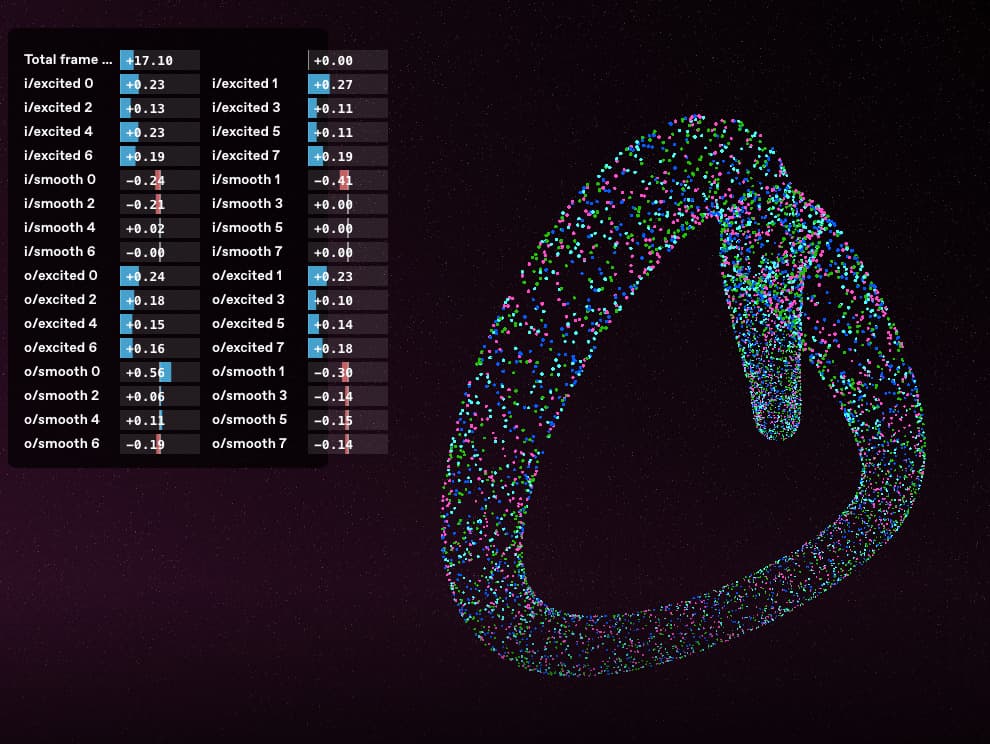
The controls in a debugging view. I've learned with these kinds of creative coding projects like the spacetime maps that investing time into debugging/observability tooling pays off. Now it's even easier with vibe coding to make little widgets like this.
Next, I had to figure out how the curve should react to the controls. In early versions, the positions of the keypoints would change directly based on the sound, but this lead to jerky movements that didn't feel good. Instead, I settled on a physics-based approach where each of the five keypoints has momentum and the controls only change the velocity instead of the position directly. It was tricky to balance things so that the movements look fluid and aren't too sudden, but at the same time you see that the audio actually has an effect.
There is also a default "idle rotation" so that interesting things happen even if nothing is being said: each of the five keypoints has an axis around which it slowly rotates.
On top of that, the five points are repelled from each other: a force is added that pushes them apart. This makes the idle rotation animation less obvious because the movements become more complex and chaotic. It has a second reason, too: the calculation of this repelling force only takes into account the x and y coordinates and not the depth z, so the points are encouraged to be far from each other when they're on a flat plane. That means the points should not bunch together from the point of the viewer and we should get a nice spread-out curve most of the time.
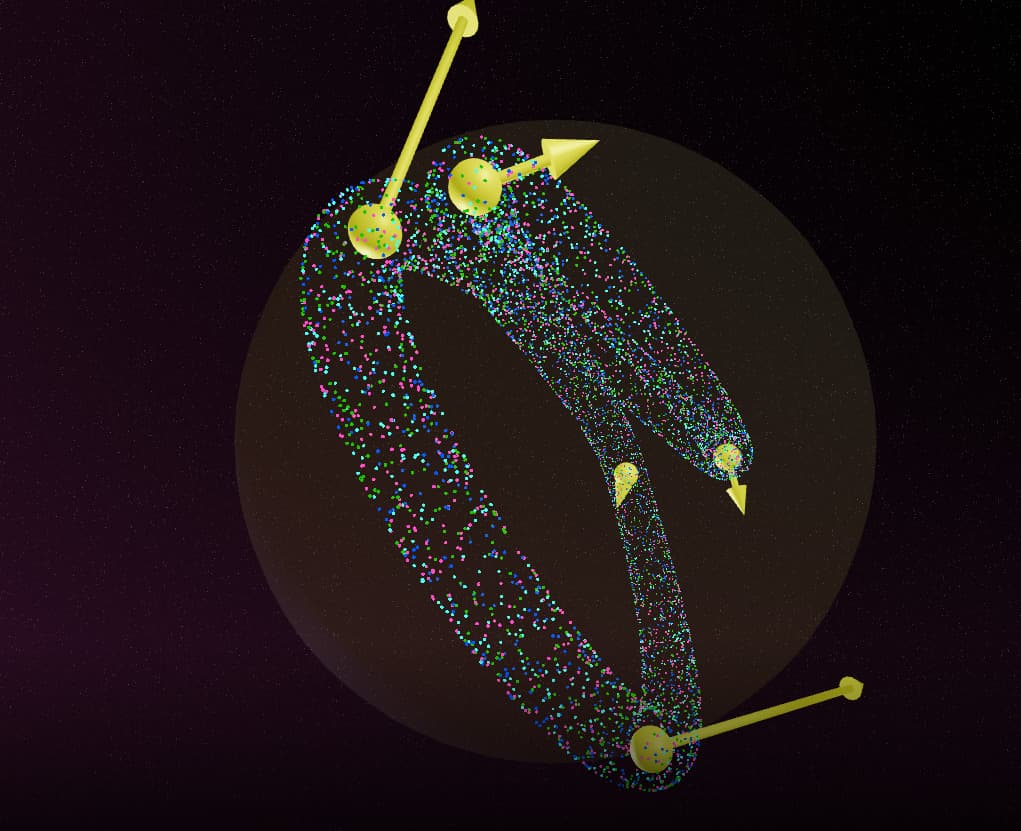
The five keypoints and the forces acting on them at the given time. They're always normalized to be on a sphere.
Changing voices
We wanted the user to be able to change the voice they're talking to, by saying things by "now talk with a deep voice".
We could reuse most of Unmute, but what we were missing from the original implementation was function calling. This is basically necessary if you want to do anything useful with the voice chat. I realized there are actually two kinds of function calling
- commands, meaning functions with no return value. This is just the ability for the LLM
to say "I want to do X" without getting any feedback on the output of that operation.
This is enough to implement voice changing, because ask the LLM to output a JSON
representing a
set_voicefunction and it doesn't need to know what the output was. - true function calling, where the call is parsed, submitted to an external system,
and then we insert the result of the function call and continue the LLM inference
with that information. The "hello world" example of this is a
get_weatherfunction that tells you the current temperature at a given latitude and longitude.
I only implemented commands because that's all we need and it's significantly easier. In addition, our use case is very latency-sensitive because of the streaming text-to-speech. It starts pronouncing the generated text even before it's fully ready, so if we generate a few words and then stop to wait for the result of a function call, we could cause a stutter in the generation.
My implementation is fairly simple: we look for JSON objects as the LLM output is streaming in
token-by-token. When we see something that's a complete JSON, we try to parse it into an object
with an expected format, something like {"name": "set_voice", "parameters": ...}.
To tell the LLM how to use the function, just describe it in the system prompt
and give a few example uses.
In our case, the set_voice function allows the LLM to set filters to apply to
a database of voices, like "British accent", "feminine", or "deep voice".
The downside of the "command" approach is that the LLM has no feedback about what is happening. For instance, if there is no voice matching the set of filters it requested, it has no way of knowing about it and saying something like "sorry, I don't have a voice like that". Instead, it will just act as if the voice change succeeded.
I should implement true function calling in Unmute soon!
Drawing shapes
We wanted to add another fun element and showcase the function calling more, so we decided to add the ability for the belt to turn into a shape of your choosing.
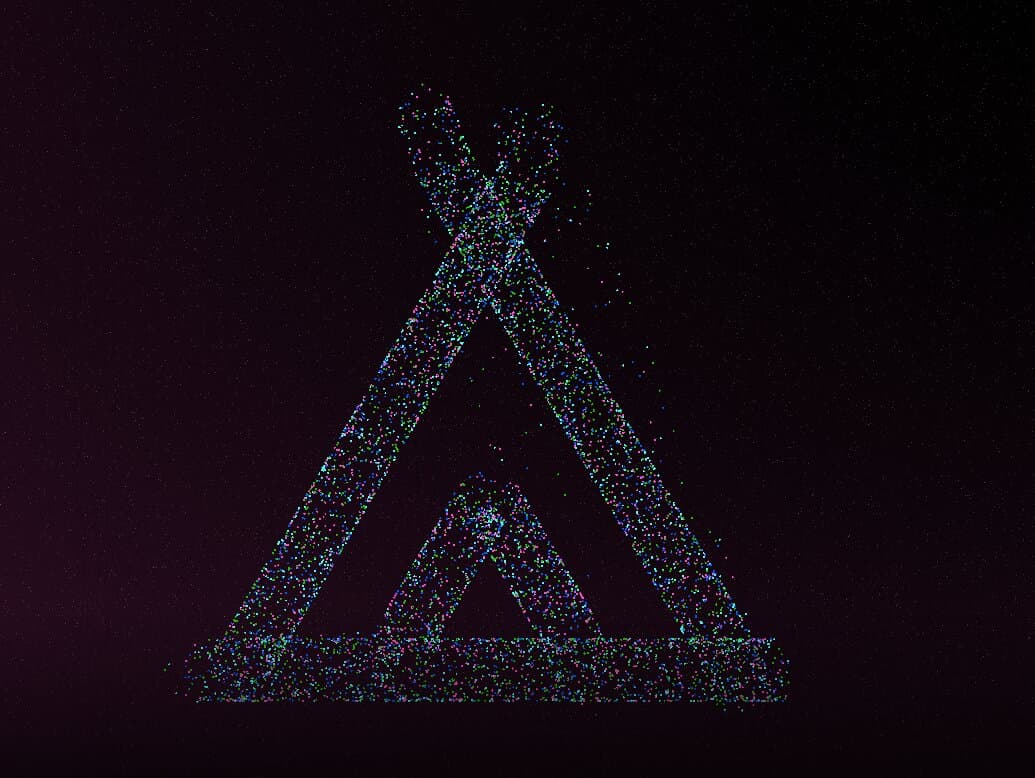
The belt doing a tent shape.
I implemented this using SVG paths. For example, the path corresponding to the tent image above is:
M3.5 21 14 3 M 0 0 M20.5 21 10 3 M 0 0 M15.5 21 12 15l-3.5 6 M 0 0 M2 21h20
Originally I thought about letting the LLM to generate the SVGs directly, but quickly confirmed that LLMs suck at drawing SVGs. So instead, I was looking for a set of pre-made SVGs for common shapes. I've used the icon library Lucide in the past, so that seemed like a good candidate. I parsed all of Lucide's icons and filtered out the less useful ones like "panel-left-open", to get a list of around 200 icons. I also had to add some common shapes that were missing from Lucide, like triangles, etc.
Performance
I used React Three Fiber, a library that wraps Three.js for use in React. The docs are somewhere between unhelpful and passive-aggressive: "You need to be versed in both React and Threejs before rushing into this." To be fair, I understand the frustration of the developer who gets GitHub issues about ThreeJS/React things that are actually unrelated to their library, but there must be friendlier ways to phrase this.
TODO more about shaders